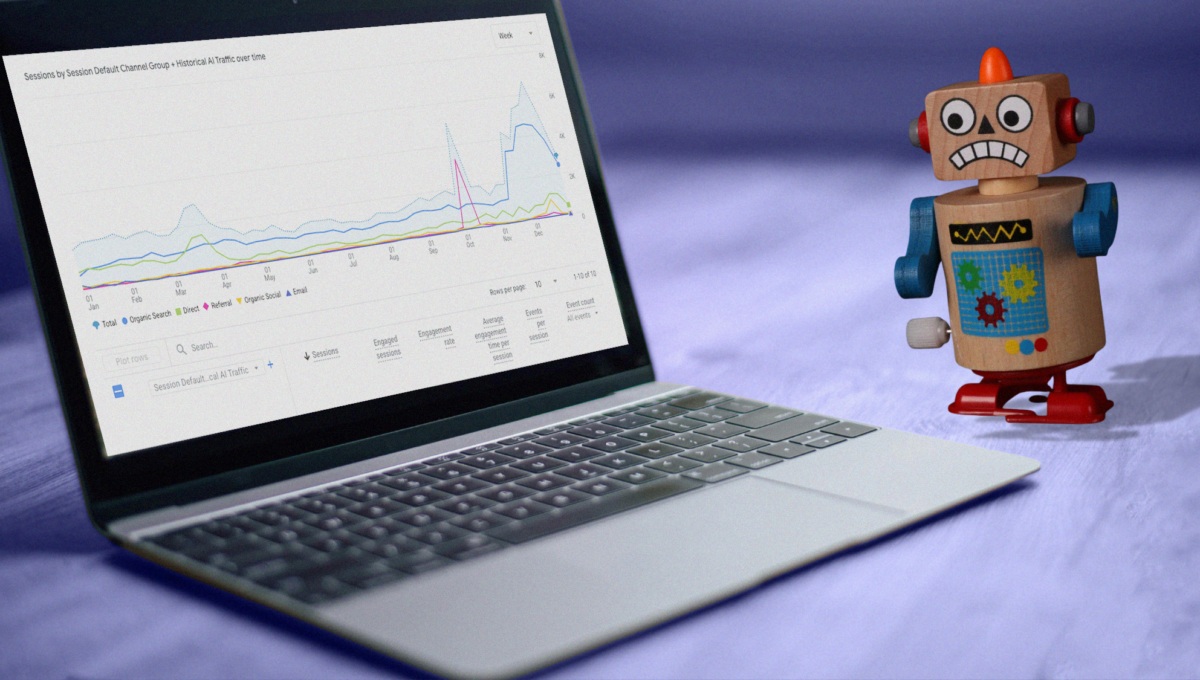
As you’ve no doubt heard by now, the student journey has changed, and prospective students are turning to AI tools like Claude, ChatGPT, and Perplexity to search for their right-fit schools. This evolution has led to some amusing headlines — “Search is Dead!” was a common (and untrue) take. But user behavior is definitely shifting, which should have marketing teams asking how this is impacting their marketing efforts and how they should respond.
Before doing anything rash, it’s important to understand your current benchmarks and how LLMs are able to view and recommend your brand to relevant audiences.
Here’s the good news: as of mid-May 2026, GA4 no longer leaves you completely on your own here. Google quietly rolled out a native “AI Assistant” channel that automatically detects and labels AI traffic without any extra setup required. Here’s the less-good news: it doesn’t do anything about the data you’ve already collected.
This is a problem worth fixing. According to Semrush data from July 2025, LLM visitors convert at 4.4 times the rate of organic search visitors. ChatGPT visitors view nearly double the pages of organic searchers (an average of 2.3 pages per session vs. 1.2 pages). These are visitors who arrive already primed on a topic, having just read a response that cited your content. Knowing they’re there and how they behave is increasingly worth the setup time.
Here’s a rundown of what Google now does for you automatically, plus three methods you can keep in your back pocket to fill the gaps.
What’s New: GA4’s Native AI Assistant Channel
To understand what’s changed, it helps to know how GA4 sorts traffic into channels in the first place. A “channel” is just a named bucket built from rules based on dimensions like Source, Medium, or Campaign. When a session comes in, GA4 checks it against each channel’s rules, top to bottom, and assigns it to the first one that matches. Everything that doesn’t match anything specific falls into a catch-all, like Referral, Direct or Unassigned.
With its recent update, Google now automatically recognizes sessions arriving from certain AI assistants and writes a new value, “ai-assistant,” into that session’s Medium field. From there, its Default Channel Group rules pick up that medium and slot the session into a new channel called “AI Assistant,” which now sits alongside Organic Search, Referral, and the rest in your standard acquisition reports.
This update has been rolling out gradually. Once your account receives this update, AI traffic will automatically be captured and appear in your acquisition reports, no extra configuration needed on your end.
This is great, but there’s a timing limitation worth flagging: this labeling happens as sessions come in. It does not retroactively relabel historical sessions that already landed in “Referral” before your account received the update. If you want to see how AI traffic behaved before that point — which matters if you’re building a before/after narrative or a full-year trend line — you still need to go get it yourself. That’s where the following methods come in.
One other thing to keep in mind: Google has named ChatGPT, Gemini, and Claude as examples of recognized sources, but hasn’t published the full list of referrers it’s detecting. Channels like Perplexity, Microsoft Copilot, Grok, DeepSeek and Mistral are in a bit of a gray zone for now.
Method 1: Create a Regex Filter in Reports
Use It If: You want a quick snapshot of your data from before Google’s update landed on your account with minimal lift.
- Go to Reports > Acquisition > Traffic Acquisition.
- Click “Add filter +” at the top of the report.
- Set the dimension to Session source or Page referrer.
- Set the condition to “matches regex.”
- Paste in this regex pattern:
.*\.openai.*|.*copilot.*|.*chatgpt.*|.*gemini.*|.*perplexity.*|.*claude\.ai.*|.*anthropic.*|.*deepseek.*|.*meta\.ai.*|.*grok.*|.*x\.ai.*|.*mistral.*|.*you\.com.*|.*poe\.com.*|.*phind.*|.*bard.*
- Click Apply.
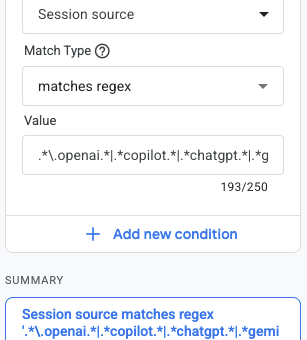
This report will give you sessions, engagement rates, and conversions from LLM referrals immediately. However, the filter disappears when you close the report, so it’s best for spot-checking historical data rather than ongoing monitoring.
Method 2: Build an Exploration (for Deeper Analysis)
Use It If: You want a report you can return to and refine rather than rebuilding every time, or you want to do a deeper dive like breaking down performance by individual source/medium to see how different LLMs are engaging with your site.
- Go to Explore (the compass icon in the left nav).
- Click “Blank” to start a new exploration.
- Under Dimensions, add: Session source, Landing page, Session medium.
- Under Metrics, add: Sessions, Engagement rate, Key Events.
- Add a Segment or Filter using the regex pattern from Method 1.
Breaking down by Landing page shows you the content that LLMs are actually citing and linking to. You can also compare engagement rates across different AI sources, instead of just a lumped-together Channel Group, so you can understand whether people coming from ChatGPT and Claude behave differently on your site.
Method 3: Create a GA4 Custom Channel Group to View LLM Traffic
Use It If: You want a streamlined way to view both retroactive and future data throughout different reports and explorations (or you’re not sure you trust Google’s new default channel group just yet).
A “Custom Channel Group” is a feature in GA4 that allows you to categorize your web traffic into custom groupings based on specific rules you create. Setting this up will make AI traffic appear as its own named channel across all standard acquisition reports, including in your historical data going back to whenever GA4 started collecting on your property. That’s the one thing the native AI Assistant channel can’t give you, since it only starts labeling sessions from the moment your account received the update.
To get the most complete, lowest-maintenance version of this, combine both approaches: use your Source regex to catch anything Google’s native channel misses (like unconfirmed platforms), and add an OR condition checking for Medium exactly matches ai-assistant to automatically pick up anything Google adds to its recognized list in the future — without you having to keep the regex updated yourself.
To set up a GA4 Custom Channel Group, follow these steps:
- Open your GA4 Admin: Go to your GA4 property and click the gear icon in the bottom-left corner.
- Find Channel Groups: Under the “Data Display” section, click Channel Groups.

- Create a New Channel Group: Click the “Create new channel group” button. You can also copy your existing default group and edit the copy, which preserves your current channel structure.

- Edit the AI Assistant Channel: Within the new Channel Group, name the new channel something clear, like AI Traffic or LLM Referrals. Then, click “Add new channel.”

- Set the Rule: Set the dimension to Source, set the condition to “matches regex,” and paste in this pattern:
.*\.openai.*|.*copilot.*|.*chatgpt.*|.*gemini.*|.*perplexity.*|.*claude\.ai.*|.*anthropic.*|.*deepseek.*|.*meta\.ai.*|.*grok.*|.*x\.ai.*|.*mistral.*|.*you\.com.*|.*poe\.com.*|.*phind.*|.*bard.*
This covers all the major sources currently sending referral traffic, including ChatGPT, Gemini, Claude, Copilot, Perplexity, Bard, DeepSeek, Mistral, Grok, and others.
- Save and Reorder: Click Save, then click Reorder and drag your AI Traffic channel above the Referral channel. This ensures AI visits are captured by your rule before GA4 groups them into generic “Referral.”
- Save the Channel Group. The channel group will now appear as a dimension option in both your standard Reports and Explorations.
- Make it your primary channel group: Once it’s saved, set this new group as your primary channel group. That means it’s what you’ll see by default when you open acquisition reports, rather than having to switch views manually.
What These Reports Will Miss
Once set up these reports, expect some gaps. Claude and Gemini pass referrer data reliably, with nearly all of their sessions correctly attributed. ChatGPT and Perplexity are notoriously messier, and a substantial number of their sessions still end up with a “(not set)” medium, which means they’re harder to analyze. This is not resolved by Google’s default channel group, which still relies on source and medium referrer data to categorize traffic.
Mobile app traffic is also largely a black box. When someone taps a link inside the ChatGPT, Claude, or Perplexity mobile app, the in-app browser often strips the referrer entirely. Users who copy-paste URLs also show up as Direct. All this means you should treat your GA4 AI traffic numbers as the minimum of verifiable sourced traffic, but know it is likely higher.
All Three Methods Are Useful
These methods aren’t mutually exclusive. You can use each one based on what you want to get out of your data:
- Start with GA4’s native AI Assistant channel as your default, ongoing view. It requires no setup and will keep working automatically.
- Method 1 is still worth building if you want full historical visibility, certainty over which platforms are included, or a single channel group you control end to end.
- Method 2 is convenient for a quick, one-off look at historical data without any setup.
- Method 3 is worth building when you want to go deeper on either historical or current data, or break down performance between individual LLMs.
Together, they give you a complete picture of the people coming to your site from LLMs.
A Note on Maintenance
The regex list above reflects the major LLM sources as of mid-2026. Grok and Mistral are gaining users quickly, and new entrants will keep coming. If you’ve built the combined Source-or-Medium version in Method 3, your maintenance burden is lighter — Google’s own detections flow in automatically — but it’s still worth revisiting your regex every few months to catch anything Google hasn’t recognized yet.
For higher ed marketers, this is increasingly worth the attention. A prospective student or administrator who finds your content through an LLM citation has already had a conversation that recommended you. That’s a different kind of visitor than someone who clicked a paid ad, and your data should reflect it.