Not every video needs a full production crew. Some do. The trick is knowing which is which. As someone who has created thousands of videos across every production level imaginable, clients will frequently ask us: “Can you give us some guidance on how our faculty and staff can record better video themselves?”
The answer is yes. Over the past several years we’ve helped universities, healthcare systems, associations, and corporations produce everything from self-shot faculty interviews to large-scale virtual conferences with presenters joining from around the world. The lesson from that range of work: the best approach isn’t the most expensive one. It’s the one that fits the message, the audience, and the moment.
Not Every Project Requires a Production Crew
In many cases, creating video internally is the most practical approach. Today’s smartphones, webcams, and affordable recording equipment make it possible to produce high-quality content for many day-to-day communications.
Marketing, Communications, and PR teams can respond to news, promote events, highlight faculty achievements, share research, and communicate with students far more quickly than if every project required a formal production schedule. Affordable tools like the Logitech Brio webcam, Canva, and Synthesia make it easier than ever to create professional content for virtually every communication channel.
Self-produced video works particularly well for content such as:
- Faculty introductions
- Research updates
- Department announcements
- Student testimonials
- Admissions messages
- Alumni communications
- Event promotions
- Social media updates
To get the most out of your DIY productions, a few simple production techniques can dramatically improve the final result.
Five Production Fundamentals That Make Every Video Better
1. Prioritize Audio
There’s a reason why podcasting (and video podcasting) continues to grow. Media consumers are surprisingly forgiving of average video quality, but poor audio creates friction and quickly causes people to tune out and move on.
Whenever possible, use an external microphone. Even an inexpensive USB microphone or wired/wireless lavalier can make a significant difference. If you’re using a webcam, pairing it with a quality external microphone is often a better investment than upgrading your camera.
2. Use the Best Camera Available
You don’t need a professional camera to produce a professional-looking video. A recent smartphone, a quality external webcam like the Logitech Brio, or even a modern laptop webcam can produce excellent results.
3. Get the Framing Right
- Position the camera at eye level. If you’re using a webcam, consider an adjustable monitor mount or arm that lets you center the camera instead of leaving it perched on top of your monitor.
- Leave just a small amount of space above your head.
- Avoid placing the camera too low or pointing up at you.
- If you’re recording with a smartphone, use a tripod or stable phone mount to keep the image steady.
- Look into the camera when speaking rather than watching yourself on the screen and imagine there is someone on the other side of the lens you are speaking to.
4. Light Yourself, Not the Room
Lighting has a greater impact than most people realize.
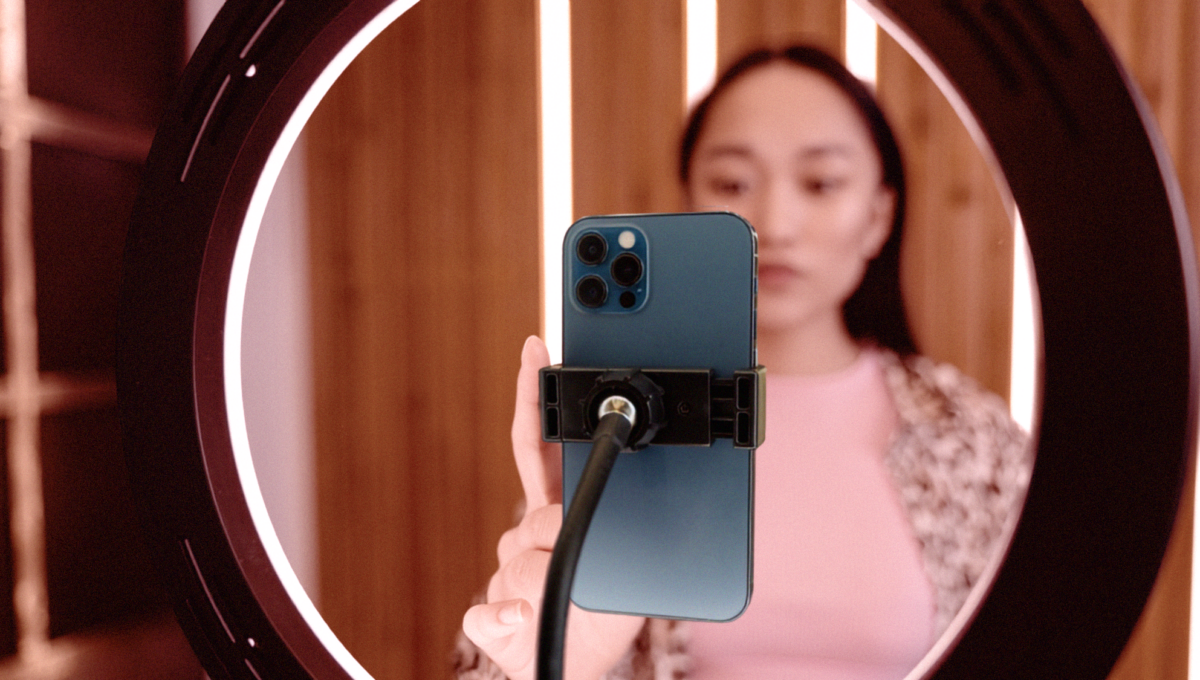
Whenever possible, face a window or another soft light source so your face is evenly lit. Avoid sitting with bright windows behind you, and if natural light isn’t available, consider an inexpensive LED panel or ring light.
5. Prepare Yourself and Your Recording Environment
- Wear clothing appropriate for your audience. Solid colors generally work better than busy patterns or logos.
- Choose a clean, uncluttered background that doesn’t distract from your message. If you’re in an office, bookshelves, artwork, or your institution’s branding can work well. Avoid busy backgrounds or anything that might pull the viewer’s attention away from you.
- Check what the camera sees, not just what’s behind you, but what’s around you. Small adjustments to your position can make a big difference.
- Sit or stand with good posture. It projects confidence and helps you appear more engaged.
- Smile naturally and let your personality come through. A warm, conversational delivery helps viewers connect with your message.
- Take a moment before you begin. Silence notifications, have any notes nearby, and do a short test recording to confirm your video and audio look the way you expect.
Know When to Call the Professionals
As the importance, visibility, or complexity of a project increases, so does the value of professional production. Events that require animating graphics, text on screen, multiple presenters, audience interaction, simultaneous recording, or live streaming can all benefit from professional production planning and experienced technical direction.
These are the types of projects where an experienced production team can help ensure your message is delivered with the quality, consistency, and confidence your audience expects.
Consider partnering with an experienced production team for projects such as:
- Brand videos
- Commercials
- Multi-speaker panel discussions
- Remote keynote presentations
- Live virtual conferences
- Annual meetings
- Commencement ceremonies
- Board meetings
Final Thoughts
Video is one of the most important ways colleges and universities communicate with prospective students, alumni, donors, faculty, and their communities.
The good news is that creating effective videos has never been more accessible.
With a few simple techniques and best practices, almost anyone can produce content that looks and sounds professional, and significantly better than it did just a few years ago.
And when the message carries greater stakes, investing in professional production can ensure that your institution’s story is told with the quality and confidence it deserves.
Editor’s note: Center City Film & Video is the sister company of Electric Kite, which publishes Volt.